

Create a role
Create a role, attach its skills, and write the guidelines an agent reads.
All the steps presented below can be autonomously handled through your AI agent (Claude Desktop) and executed for you. See Author with AI.
Set up a role your agents can learn: its name, team, skills and guidelines.
Start the role
On Roles, click Add Role. Under Create from scratch, type a name and click Continue.
The role opens on its Overview, in the team you added it from or else your first team. Describe it under The job, written in first person, and change its Team in the side panel. See Organize roles in teams if the team you need does not exist yet.
Attach its skills
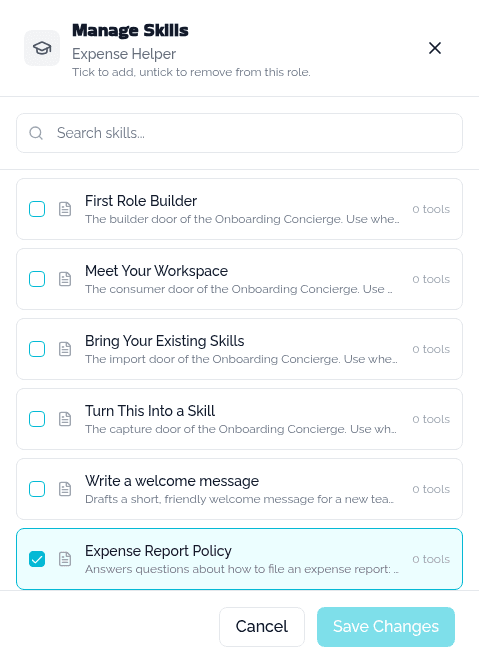
Open the role and go to its Skills tab. Click Add, tick each skill the role should unlock, or click Add Skill to create one without leaving the drawer, then click Save Changes.
Write the guidelines
Go to the role's Guidelines tab and write how the work should be done. It saves as you type.
Check it worked
The role appears on Roles, already Published, with its skill count. Agents can learn it as soon as it carries the skills and guidelines it needs. Editing it later opens a draft: see Publish and version.
Duplicate a role
Open a role and choose Duplicate role from its More options menu. The copy carries the same description, team and skills, named Copy of <name>.
Next
- Organize roles in teams, to build the team a role is filed under.
- Publish and version, to make the role available to agents.