

Act on insights
Find unused skills, timeout issues and failure hotspots, then fix them.
You end up with a short list of what to fix next: skills nobody uses, tools that time out, and the ones that fail most.
Before you start
- You have the admin role in this workspace. Insights covers the whole workspace, so members don't see it in the sidebar. A member who opens the page is sent back with "Insights cover the whole workspace and are available to workspace admins."
- At least one role has been used by an agent. Insights reads from the activity Skilder already records.
Check unused skills
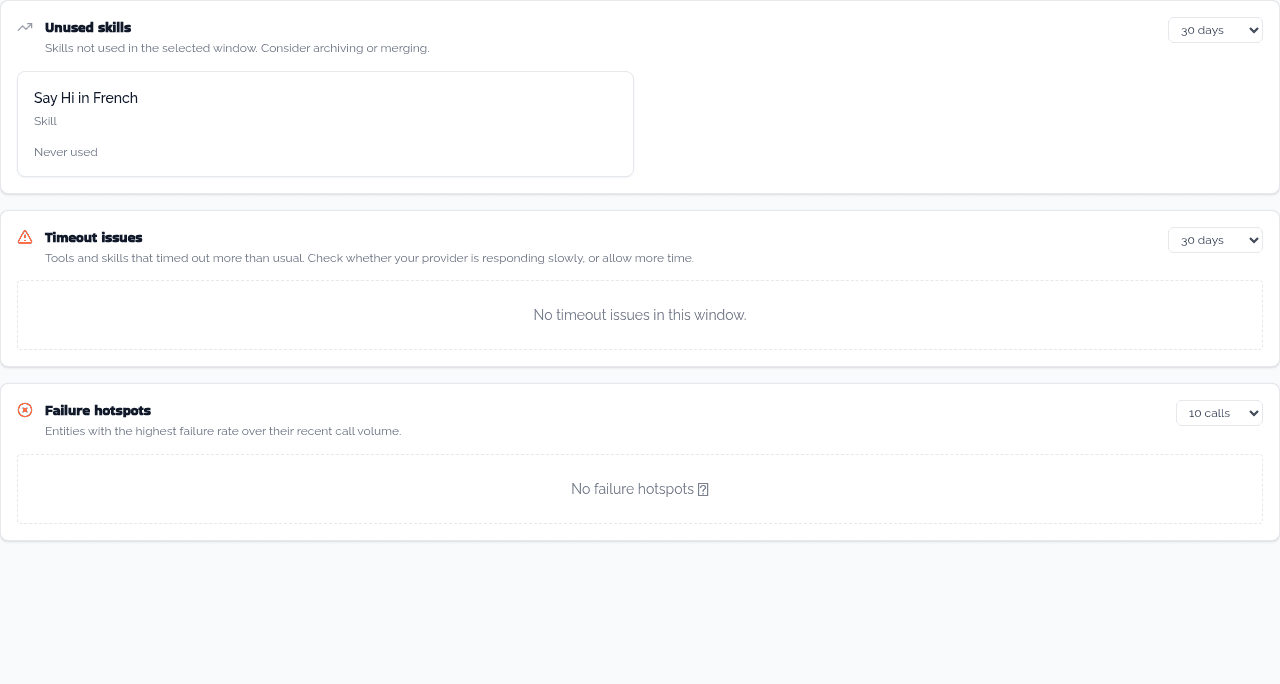
Unused skills lists skills nobody called in the selected window, from 1 hour up to 90 days. A skill sitting here is a candidate to archive or merge into another one.
Check timeout issues
Timeout issues lists tools and skills that timed out more than usual, with the timeout count against total calls. A high rate here usually means the underlying provider is slow, or the tool's timeout is set too low.
Check failure hotspots
Failure hotspots lists tools and skills with the highest failure rate, once they clear a minimum call count you choose (1, 10 or 100 calls), so a single failed call does not top the list.
Check it worked
A panel that reads "No unused skills", "No timeout issues in this window" or "No failure hotspots" is working correctly: nothing in that window needs attention. Click an entity's name to open it, or View calls to see the calls behind the number.
Next
- Build a skill, to fix what you find.
- Test a script, to check a fix before you publish it.